

Updated 16 Nov 2026: rewritten. This version adds the nil-map panic, delete, random iteration order, what can be a key, and a worked word-count example, which the original left out.
A map stores values by key, the way a dictionary in Python or an object in JavaScript does. You write its type as map[KeyType]ValueType.
Creating a map #
// A literal with values
colors := map[string]string{
	"red":   "#ff0000",
	"green": "#00ff00",
}

// An empty map, ready to use
ages := make(map[string]int)
A map you declare but don’t create is nil:
var m map[string]int
fmt.Println(m == nil) // true
You can read from a nil map, but writing to one panics:
m["a"] = 1 // panic: assignment to entry in nil mapAlways create a map with a literal or make before you write to it.
Reading and writing #
ages["Ada"] = 36       // add or update
ages["Alan"] = 41

fmt.Println(ages["Ada"]) // 36
Reading a key that isn’t there doesn’t fail. You get the zero value of the value type:
fmt.Println(ages["Grace"]) // 0That makes 0 ambiguous: it could be a stored zero or a missing key. To tell them apart, use the comma-ok form, which returns the value and a boolean:
age, ok := ages["Grace"]
if ok {
	fmt.Println("Grace is", age)
} else {
	fmt.Println("no entry for Grace")
}
no entry for GraceYou’ll see this pattern everywhere in Go. A common shorthand puts it in the if itself: if age, ok := ages["Ada"]; ok { ... }.
Deleting and counting #
delete(ages, "Alan")
fmt.Println(len(ages)) // 1
delete removes a key and does nothing if the key isn’t there. len returns the number of entries.
Looping over a map #
for name, age := range ages {
	fmt.Println(name, age)
}
The order of a map range is deliberately random and changes from one run to the next, so never rely on it. If you need a stable order, collect the keys, sort them, and look each one up:
keys := make([]string, 0, len(colors))
for k := range colors {
	keys = append(keys, k)
}
sort.Strings(keys)

for _, k := range keys {
	fmt.Println(k, colors[k])
}
green #00ff00
red #ff0000A worked example: counting words #
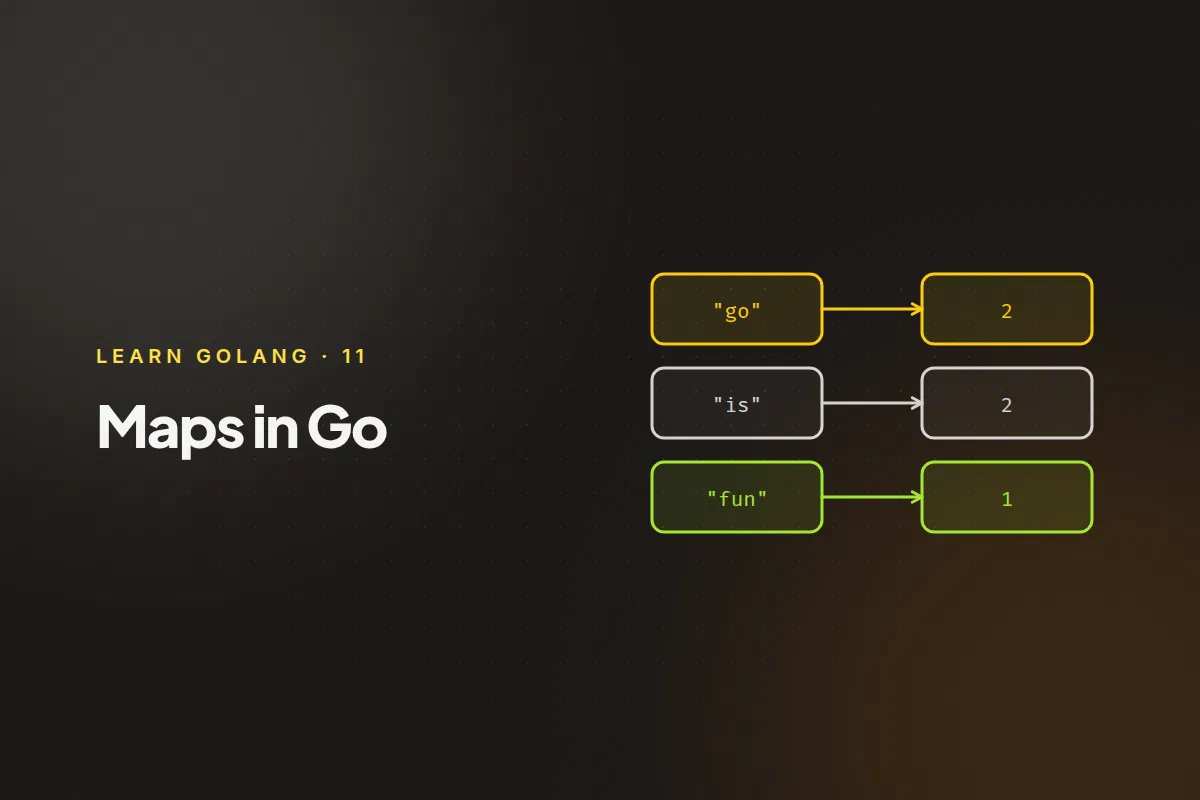
Zero values make maps good at counting. A missing key reads as 0, so you can increment without checking first:
package main

import (
	"fmt"
	"sort"
	"strings"
)

func main() {
	text := "go is fun and go is fast"
	counts := make(map[string]int)

	for _, word := range strings.Fields(text) {
		counts[word]++
	}

	words := make([]string, 0, len(counts))
	for w := range counts {
		words = append(words, w)
	}
	sort.Strings(words)

	for _, w := range words {
		fmt.Println(w, counts[w])
	}
}
and 1
fast 1
fun 1
go 2
is 2What can be a key #
A key type must be comparable: you must be able to test two keys with ==. Strings, numbers, booleans, arrays and structs of those types all work. Slices, maps and functions can’t be keys, and the compiler tells you so.
Things to remember #
- Lookups are fast. A map is a hash table, so a lookup takes roughly constant time on average, however large the map is.
- Maps are references. Assigning a map to another variable, or passing it to a function, doesn’t copy the entries. Both names refer to the same map, so a change through one shows through the other.
- Maps aren’t safe for concurrent use. If several goroutines read and write the same map without synchronisation, the program can crash with
fatal error: concurrent map writes. Protect it with async.Mutex, or usesync.Mapfor the specific cases it suits.
Next: functions.