

Ask how to do persistent storage on Kubernetes and most answers say the same thing: install Longhorn, or Rook-Ceph, or OpenEBS. Replicated block storage, so a volume survives losing a node.
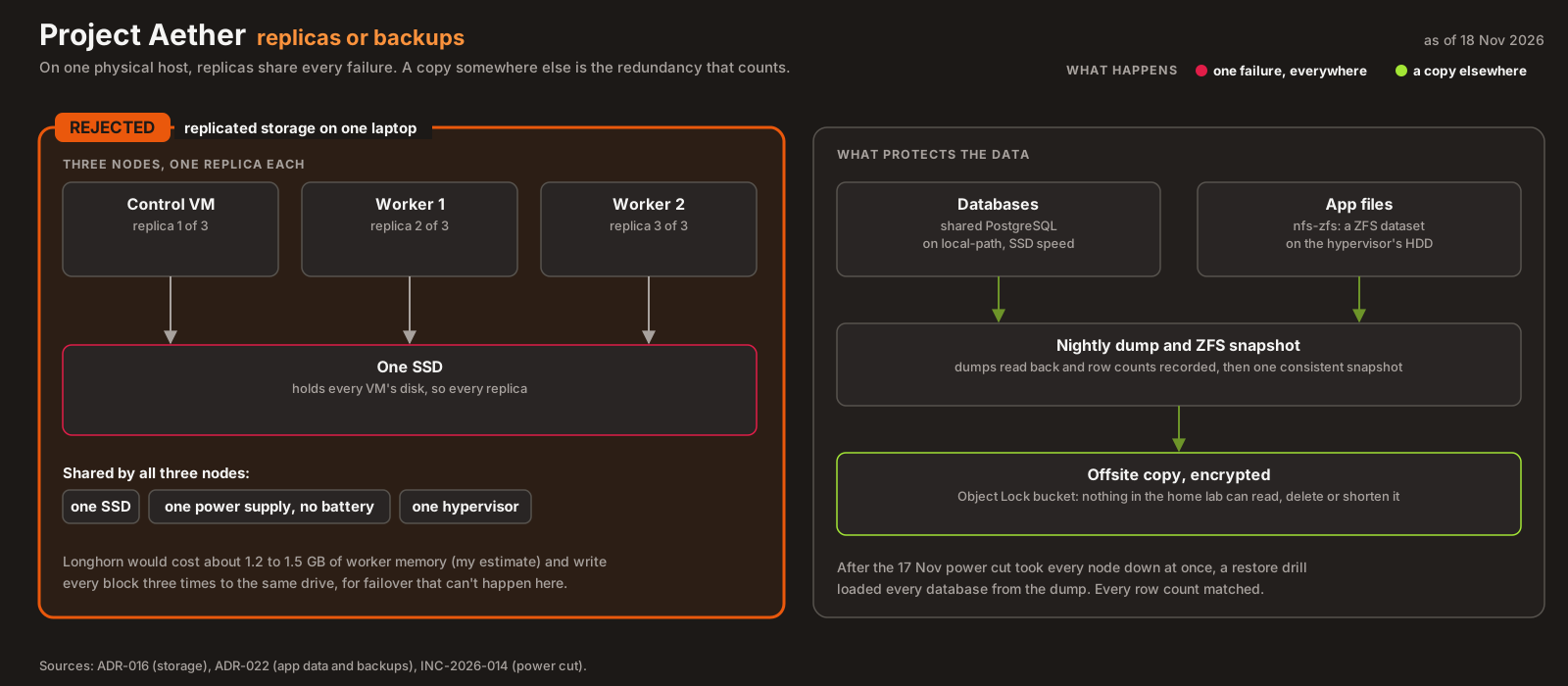
That advice assumes nodes fail independently. In Project Aether they don’t. The control plane and both workers are VMs on one 2015 laptop, and their disks are files on one SSD. If the laptop loses power, all three nodes go down together, and every replica of every volume goes with them. Replication across those VMs would multiply writes to that one SSD and spend scarce memory, in exchange for protection against a failure that this hardware can’t have on its own.
So the cluster’s default storage is K3s’s bundled local-path provisioner, chosen in ADR-016. This post covers why, what it gives up, how to test it properly, and two facts about it that change how backups have to work.
The budget #
Each worker VM has about 3.3 GiB of allocatable memory. On 2 November, with the platform installed but no applications yet, the busier worker already used 1,665 Mi of it (48%), mostly ArgoCD, cert-manager and the gateway controller.
These are the options I compared:
| Option | Memory | Fit |
|---|---|---|
local-path (chosen) |
Under 15 MiB, one small provisioner pod | Native SSD speed, no background daemons |
| Longhorn | About 1.2 to 1.5 GB across the workers, by my sizing | Roughly 40% of worker memory, for replication that protects against nothing here |
| Rook-Ceph | More than 2 GB, plus dedicated disks per OSD | Doesn’t fit at all |
| NFS as the default | Close to zero in the cluster | Wrong for databases (below) |
The Longhorn and Ceph numbers are my planning estimates for this cluster’s size, not measurements from running them. They didn’t need to be precise. Even the low end is a large share of a 3.3 GiB worker, spent on a feature that doesn’t help.
Why replication buys nothing here #
Replicated storage protects against one node failing while the others keep running. It earns its cost when nodes are independent machines with independent disks and power.
Here, all three nodes share:
- one power supply (the laptop’s, with no battery, as the fan and shutdowns post found),
- one SSD, which holds every VM’s disk,
- one hypervisor, whose kernel panic overnight on 10 to 11 November took the whole homelab down for about nine hours (INC-2026-012).
Three replicas on three VMs would be three copies on the same physical SSD. Every write would be done three times, plus the replication engine’s own metadata, on a consumer drive with limited write endurance. It would look like high availability in the dashboard, and none of the real failures this hardware has had would be survived any better.
What actually protects data here is a copy somewhere else, taken at a point in time: the etcd snapshots go to the HDD and then to Backblaze B2, and the cluster’s configuration lives in Git. That’s backup, not replication, and on one physical host it’s the only kind of redundancy that counts.
Why not NFS for everything #
NFS looks like the obvious way to get storage that any pod on any node can mount. But SQLite, and anything else that depends on fsync and file locking being fast and reliable, behaves badly over network file systems: lock stalls and, in the worst case, corrupted databases. The application data planned for this cluster is mostly small databases and config, the wrong workload for NFS.
NFS still has a place: files. Documents, attachments and blobs don’t need database-grade fsync, and they’re exactly what should survive losing a worker. When the first apps arrived, that’s where NFS went (more below).
How local-path works
#
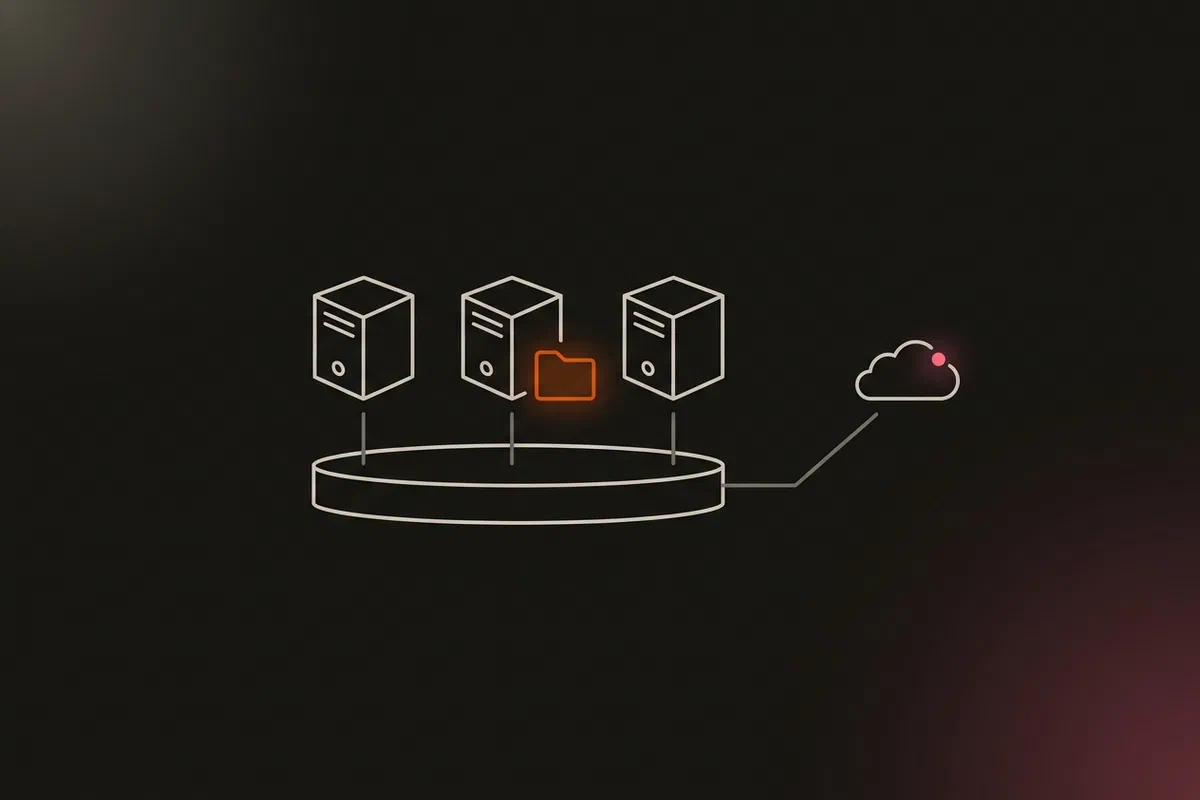
local-path is a small controller bundled with K3s. When a pod’s PersistentVolumeClaim needs a volume, it creates a directory on the node where the pod is scheduled and binds a hostPath-style PersistentVolume to it. There are no daemons on the data path and no network hop: reads and writes go straight to the node’s disk.
In this cluster it’s the default StorageClass, with the provisioner rancher.io/local-path and the binding mode WaitForFirstConsumer.
The WaitForFirstConsumer binding mode is what makes this work. A node-local volume has to be created on the node where the pod will run. If the volume were created as soon as the claim appeared (Immediate mode), it could land on one node while the scheduler later puts the pod on another, and the pod could never mount it. Waiting for the first consumer lets the scheduler choose the node first, then the provisioner creates the volume there.
Testing it properly #
That binding mode also catches people out when they test it. A PVC on its own stays Pending forever under WaitForFirstConsumer, by design. Checking that a new PVC is Bound is not a valid test. The smoke test has to create a pod that uses the claim. With one, the test claim bound and mounted within 12 seconds.
What local-path gives up
#
The trade-off is real, and worth stating plainly:
- Volumes are pinned to a node. A pod with a
local-pathvolume can only run on the node where that volume lives. If the node dies, the pod staysPendinguntil the node comes back or the data is restored elsewhere. There is no automatic failover. - Capacity is the node’s disk. Volumes share the VM’s disk with everything else on it.
For this hardware, both are acceptable. The failover I’d lose wouldn’t help when every node shares one host, and the capacity limit is the SSD’s whatever storage layer sits on top.
Two facts that change the backup plan #
Checking the details against the running cluster on 13 November turned up two facts that matter more than the choice itself.
1. The volumes aren’t where the docs said. My decision record said local-path stores volumes under /opt/local-path-provisioner. That’s the upstream project’s default. K3s configures it differently: on every node, the local-path-config ConfigMap points at /var/lib/rancher/k3s/storage. A backup job written from the docs would have backed up an empty directory and reported success. I’ve seen that kind of failure before, in backups that reported success while failing.
2. Volume data isn’t in the etcd snapshot. etcd holds the cluster’s objects, including the PersistentVolume and PersistentVolumeClaim records, but not the files inside the volumes. The disaster recovery pipeline backs up etcd snapshots. It would restore a cluster that knows a volume existed, with no data in it. So the first stateful application to use local-path needs its own backup job for its volume directory, sent off the host like everything else.
On 2 November there were zero PersistentVolumeClaims in the cluster, so nothing was at risk. Both facts went into the decision record, and two weeks later they shaped how the first apps store data.
What the first apps actually use #
On 17 November, a notes app, a knowledge base and a developer toolbox moved onto the cluster. Their data splits by type (ADR-022):
| Data | Where | Why |
|---|---|---|
| Databases | One shared PostgreSQL (with pgvector) on local-path, one database and role per app |
SSD latency for fsync, as planned |
| Files (documents, blobs) | nfs-zfs: a ZFS dataset on the hypervisor’s HDD, exported over NFS 4.2 |
Survives losing a worker, ReadWriteMany, and sits on the disk the backup chain already reads |
The NFS StorageClass gives each claim its own directory, named <namespace>/<claim>, and keeps it when the claim is deleted. A claim recreated with the same name, which is exactly what a rebuild from Git does, picks its data up again. ZFS snapshots every hour (kept 48) and every day (kept 14) cover mistakes like a deleted file, but they live on the same disk, so they aren’t a backup.
The backup is the job the second fact above called for. Every night a Kubernetes CronJob dumps each app database onto the NFS dataset, reads every dump back and records row counts. Later the hypervisor snapshots the dataset, so dumps and files come from one moment, and streams it, compressed and encrypted, to an Object Lock bucket offsite. Two heartbeats, one for the dump and one for the upload, are sent only on success, so silence pages, the lesson from Green Is Not a Status.
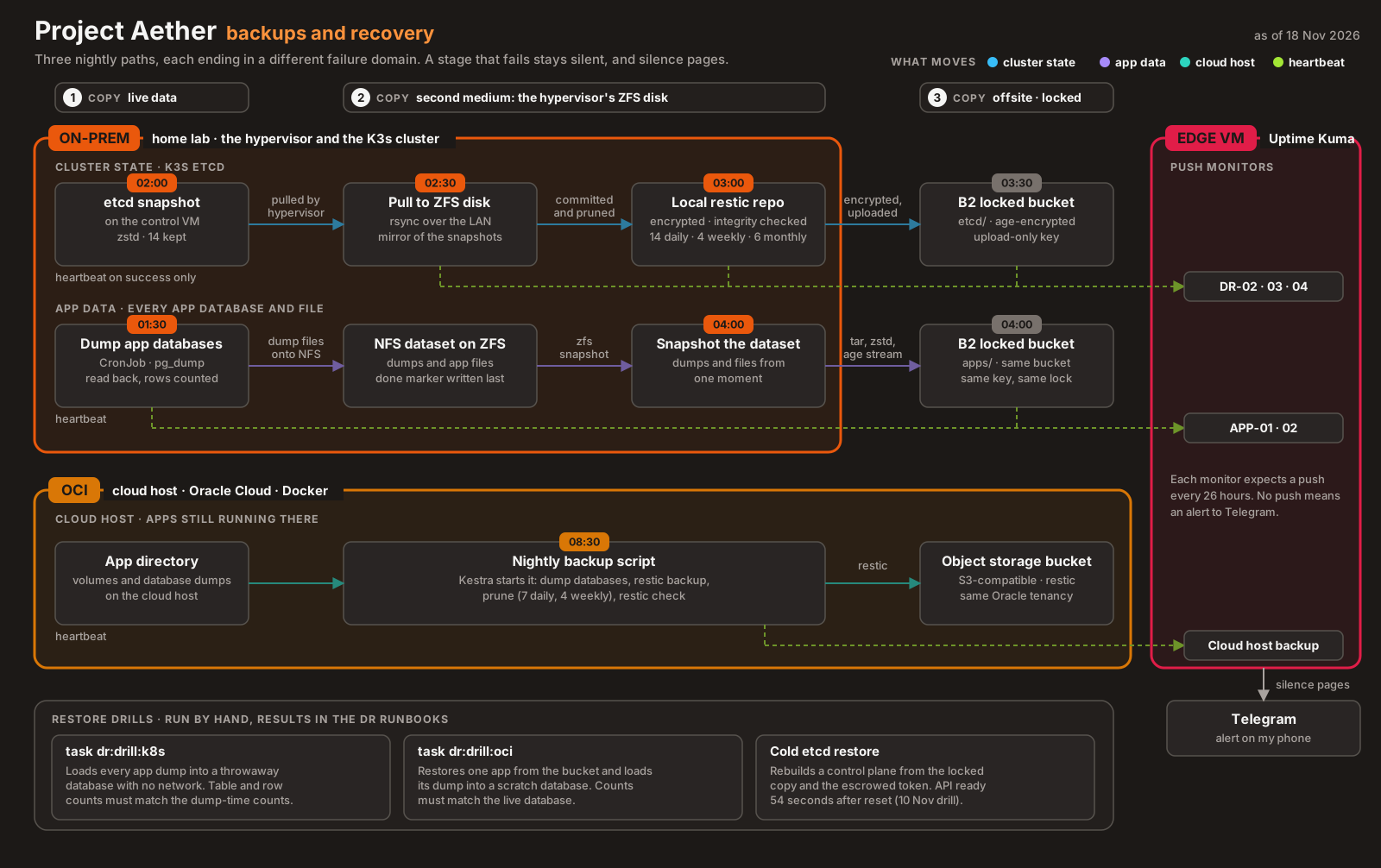
It was tested sooner than planned. The next day, a power cut outlasted the house inverter and took the whole homelab down for about 15 hours (INC-2026-014). After recovery, a restore drill loaded every app database into a throwaway PostgreSQL, and the row counts matched the dumps. Every app file was present.
What I learned #
- Replication protects against independent failures. When every replica shares one disk, one power supply and one hypervisor, it adds cost and no protection.
- On a single host, backup is the redundancy that counts. A point-in-time copy somewhere else survives the failures replication can’t.
- Test
WaitForFirstConsumerstorage with a pod, not just a claim. - Check where the data actually lives on the running system, not in the upstream docs. Back up that path.
- Volume contents aren’t in etcd. Restoring the cluster’s state doesn’t restore its data.
Architecture takeaways #
Why Kubernetes splits storage into StorageClass, PV and PVC #
An application asks for storage with a PersistentVolumeClaim: a size and an access mode, nothing about where or how. A StorageClass names a provisioner and its policy, and the provisioner creates a PersistentVolume to satisfy the claim. The application never knows whether its volume is a cloud disk, a Ceph image or a directory on a VM. That’s what let me pick the cheapest provisioner that fits this hardware without changing how any future application asks for storage, and it’s what lets me move to something else later with the same manifests.
Why WaitForFirstConsumer exists
#
Storage and scheduling depend on each other. A network volume can be attached wherever the pod lands, so it can be created first. A local volume ties the pod to one node, so the node has to be chosen first. WaitForFirstConsumer hands the decision to the scheduler, which knows about resources, affinity and taints, and has the provisioner follow. Without it, local storage would fight the scheduler, and pods would sometimes be unable to start for reasons that look like a scheduling bug. The NFS class, by contrast, uses Immediate binding: a network volume can be mounted from either worker, so there’s nothing for the scheduler to decide first.
Previously in the series: Gateway API on a Homelab, with Envoy Gateway, MetalLB and an internal CA. Every part is listed on the series page.