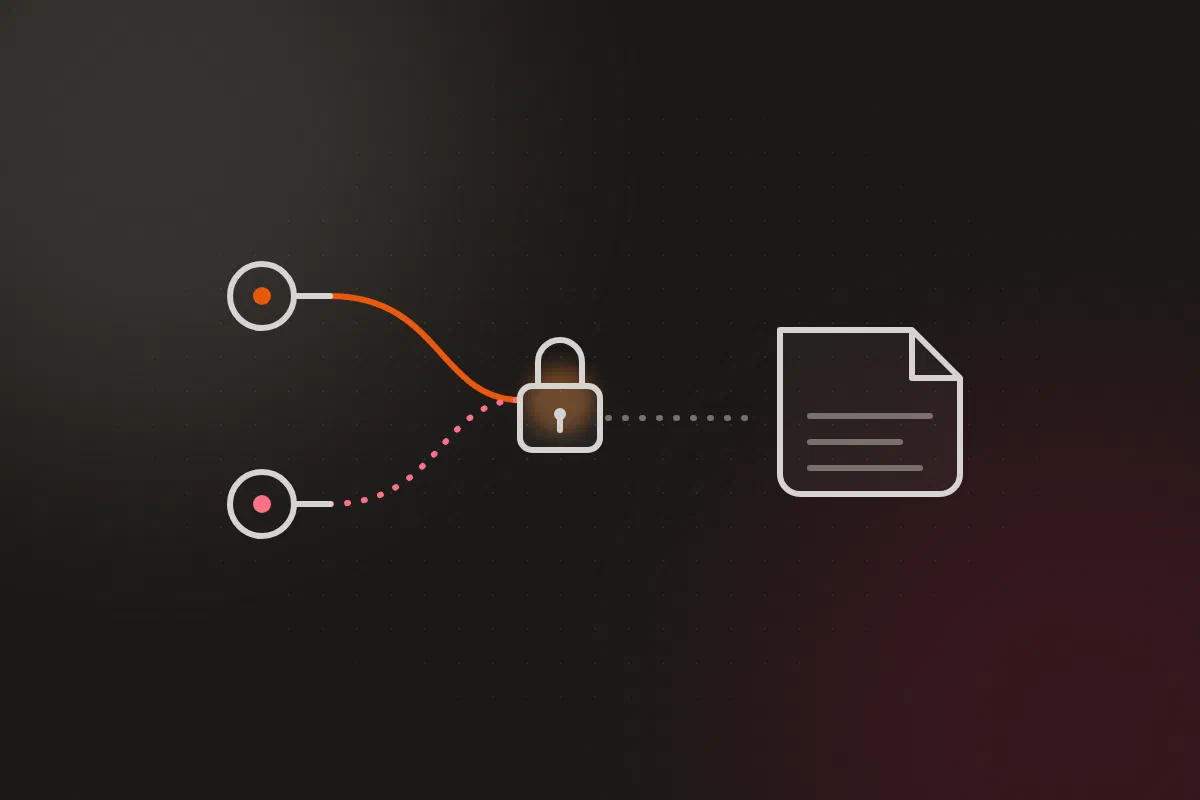


Project Aether’s repository is public. It holds the Terraform for both clouds, every Ansible playbook, and every Kubernetes manifest the cluster runs. It also holds the secrets: the Tailscale OAuth credentials, database passwords, the Terraform variables for my cloud accounts. They’re encrypted, and the whole design depends on that encryption holding up and on me never losing the keys.
I nearly lost them once. An operating system reinstall moved my only age private key out of place, and until I found it, nothing in the repo could be decrypted. That’s what pushed me from one key to two.
This post covers how the secrets are encrypted (SOPS, with an offline age key and a GCP Cloud KMS key as two independent recipients), how Terraform and ArgoCD decrypt them, the four bugs I fixed before the cluster decrypted its first Secret, and two places where the setup is weaker than it looks.
The problem #
GitOps means the repository is the source of truth. If a secret isn’t in Git, the cluster can’t be rebuilt from Git. If it is in Git in plaintext, anyone who can read the repo can read it, and for a public repo that’s everyone.
I had three constraints (ADR-007):
- No plaintext secret ever committed.
- A small memory footprint, because the whole cluster shares a 12 GB laptop.
- Recovery that doesn’t depend on any one cluster still existing.
| Option | Why not |
|---|---|
| HashiCorp Vault | Too much memory for this host, and one more stateful service to back up and recover first |
| Bitnami Sealed Secrets | The decryption key lives in the cluster. Lose the cluster without a copy of that key, and every sealed secret in Git is unreadable |
| GPG | Works, but key management and tooling are heavier than age for one operator |
| SOPS + age (chosen) | Encrypts files in place, keeps YAML structure, no server, and nothing tied to a cluster |
The third constraint is the one that decided it. With SOPS, a full rebuild needs exactly two things: the Git repo and a key. The cluster is just another consumer.
Two keys, either one works #
SOPS uses envelope encryption. Each file gets its own random data key, which encrypts the values. That data key is then encrypted separately to every recipient listed for the file, and each wrapped copy is stored in the file’s sops: metadata block. Any one recipient can unwrap its copy and decrypt the file. They don’t depend on each other.
So after the reinstall scare, I added GCP Cloud KMS as a second recipient alongside age. Each creation rule in .sops.yaml now lists both:
creation_rules:
  # SOPS-encrypted Terraform variable files
  - path_regex: infrastructure/terraform/.*\.tfvars$
    gcp_kms: projects/<project>/locations/global/keyRings/sops/cryptoKeys/sops-key
    age: "age1…"

  # Fallback for any explicitly named SOPS file
  - path_regex: .*\.sops\.ya?ml$
    gcp_kms: projects/<project>/locations/global/keyRings/sops/cryptoKeys/sops-key
    age: "age1…"
    encrypted_regex: '^(data|stringData)$'  # Only encrypt secret values; leave apiVersion/kind/metadata plaintext
Existing files were re-wrapped with sops updatekeys, so every file in the repo now opens with either key. The two keys do different jobs:
- Day to day, I use KMS. On any machine where I’ve run
gcloud auth application-default login,sopsdecrypts without a key file on disk. A new laptop needs a login, not a copied secret. - The cluster and disaster recovery use age. The age private key lives offline in my password manager. If my GCP project were gone tomorrow, age would still open everything.
Losing access now means losing both at once: the GCP project and the password manager entry. The KMS key rotates every 90 days, and Terraform sets prevent_destroy on it so a careless terraform destroy can’t take it out. At one key version and roughly 50 operations a month, it sits well inside the free tier.
A KMS-only design would have been lock-in. An age-only design was one lost file from lock-out. Two independent recipients avoid both.
Decrypting for Terraform #
Terraform reads variables from files, so its secrets need to exist as plaintext for the length of one command and no longer. Every Terraform task in the Taskfile.yaml follows the same pattern:
  tf:plan:
    dir: "infrastructure/terraform/{{.DIR}}"
    cmds:
      - |
        if [ -f terraform.sops.tfvars ]; then
          sops -d --config "{{.ROOT_DIR}}/.sops.yaml" terraform.sops.tfvars > .decrypted.auto.tfvars
          trap "rm -f .decrypted.auto.tfvars" EXIT
        fi
        terraform plan
Terraform loads any *.auto.tfvars file on its own, and the EXIT trap deletes the file when the shell ends, whether terraform plan succeeds or fails. .gitignore also excludes .decrypted.auto.tfvars and *.decrypted.*, as a second layer in case a run is killed before the trap fires.
Decrypting inside the cluster: KSOPS #
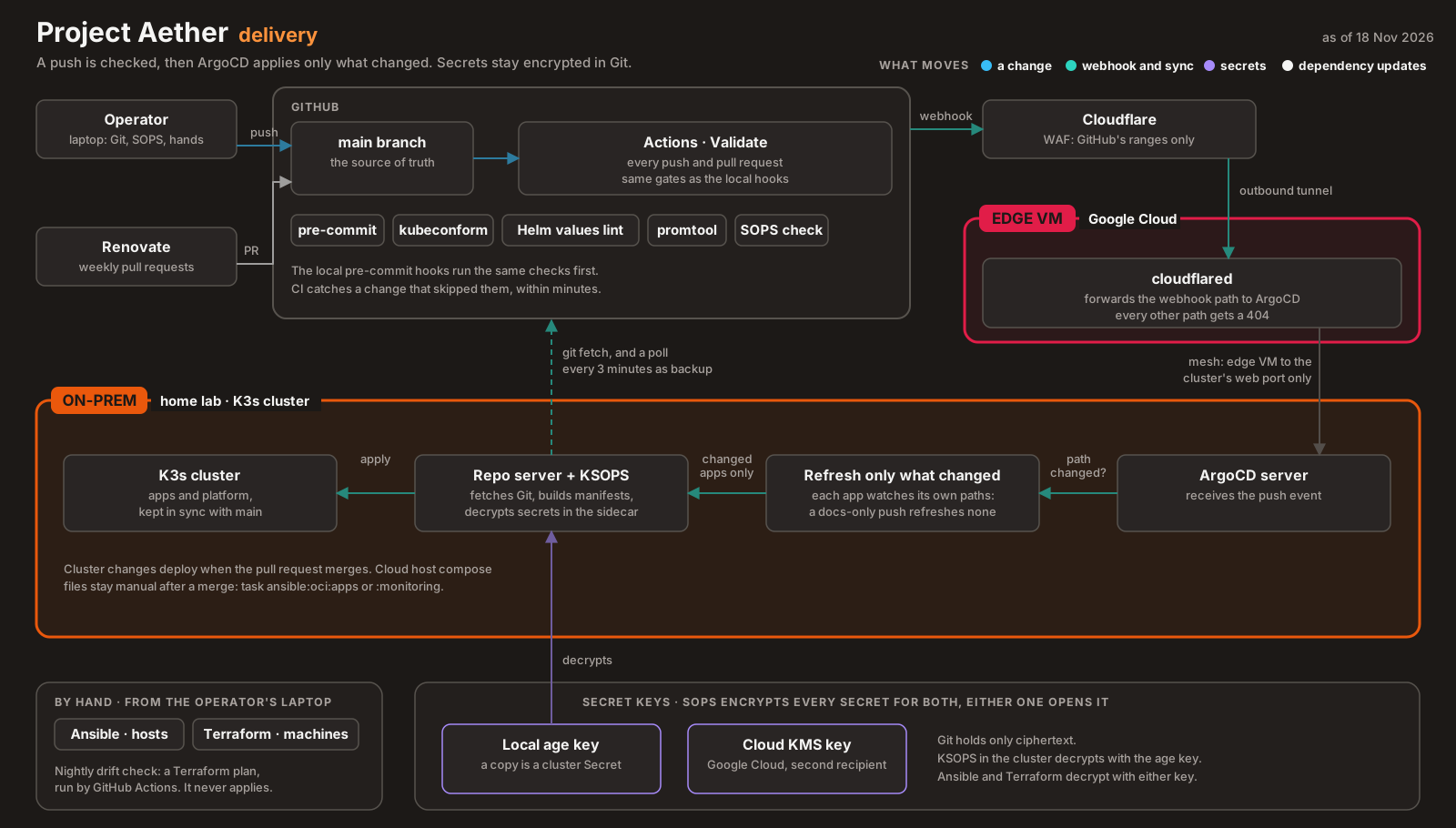
ArgoCD doesn’t speak SOPS natively. I run KSOPS as a Config Management Plugin (CMP v2): a sidecar on ArgoCD’s repo server with its own kustomize, sops and the age key. ArgoCD hands it any app directory that matches the plugin’s discovery rule:
    apiVersion: argoproj.io/v1alpha1
    kind: ConfigManagementPlugin
    metadata:
      name: ksops
    spec:
      version: v1.0
      discover:
        find:
          glob: "**/ksops-*.yaml"
      generate:
        command: ["sh", "-c"]
        args: ["kustomize build --enable-alpha-plugins --enable-exec ."]
An app that needs a secret carries an encrypted Secret and a small generator that points at it. This is the one for the Tailscale operator’s OAuth credentials:
apiVersion: viaduct.ai/v1
kind: ksops
metadata:
  name: tailscale-ksops-secret
  annotations:
    config.kubernetes.io/function: |
      exec:
        path: ksops
files:
  - ./operator-oauth.sops.yaml
There’s one secret that can’t come from Git: the age key itself. It’s the bootstrap secret, created by hand once per cluster with task k8s:sops-secret, which turns the local key file into a Kubernetes Secret in the argocd namespace. Everything else follows from Git.
A permanent smoke-test app decrypts a dummy Secret on every sync. If decryption breaks, that app goes red before any real one does.
Four bugs before the first decrypted Secret #
Getting from “plugin installed” to “Secret decrypted” took four fixes. Three of them (A, B and C) I caught in an audit of my own plan before the first sync. Only F failed live, and its message pointed somewhere else.
| Bug | Symptom | Cause | Fix |
|---|---|---|---|
| A | Never observed. I expected ArgoCD to reject the Application, or the explicit name to collide with auto-discovery, so the sidecar never rendered the app | I set plugin.name on the Application. With CMP v2, naming the plugin and also giving it a discover rule doesn’t work |
Drop plugin.name and let discovery match ksops-*.yaml |
| B | sops and kustomize crashed with read-only file system |
The sidecar runs with readOnlyRootFilesystem: true, and both tools need /tmp |
Mount an emptyDir at /tmp |
| C | Kustomize rejected the Secret before KSOPS ran | SOPS had encrypted apiVersion, kind and metadata too, so the document wasn’t a valid resource any more |
`encrypted_regex: ‘^(data |
| F | Error getting data key: 0 successful groups required, got 0 |
The age key was mounted with mode 0400, owned by root. The sidecar runs as UID 999 and couldn’t read it |
Mount it with defaultMode: 0444 |
Bug A has no error message to quote because it never ran. My draft of the smoke-test Application named the plugin explicitly, and I removed that line during the audit, so the symptom in the table is what the ArgoCD docs say should happen, not something I captured. The same goes for B and C: read-only file system and a Kustomize validation failure are what those two settings are documented to cause. The audit found them because each is a setting that looks right and gets accepted without complaint, and fails later, somewhere else.
Bug F is the one I’d warn anyone about. “0 successful groups” sounds like a wrong key or a broken file. It meant “I couldn’t open the key file”. When SOPS can’t decrypt, check that the process can read the key before you check the key.
What the encryption still leaves in plaintext #
encrypted_regex fixed bug C, and it changed what “encrypted file” means. Under that rule, SOPS encrypts the values under data and stringData and nothing else. That’s what a Kubernetes Secret needs. For any other YAML that happens to match the rule, it means every other value goes to Git in the clear.
I found this while adding a webhook secret to ArgoCD. The natural move was an encrypted Helm values overlay, named *.sops.yaml. But the setting lives at configs.secret.githubSecret, which isn’t under data or stringData, so the fallback rule would have committed it as plaintext inside a file whose name says it’s encrypted. Instead, the secret lives in the Ansible secrets file (a rule without encrypted_regex, so everything in it is encrypted) and is injected at install time:
--set-string configs.secret.githubSecret="$(sops -d --extract '["argocd_github_webhook_secret"]' infrastructure/secrets/ansible-secrets.sops.yaml)"The second weak spot is rule order. SOPS uses the first creation rule whose path matches. The first rule covers kubernetes/secrets/ and has no encrypted_regex, so a Secret placed there would be encrypted wholesale and hit bug C again. Only the fallback rule carries the fix. Nothing lived in that directory, so nothing was ever broken, but the next Secret placed there would have been. The fix was one line: the same encrypted_regex on the first rule (f353813). The way to check it is a dummy Secret in that folder: encrypt it, and confirm that apiVersion and kind stay readable while the value doesn’t.
Guardrails, and their limits #
Pre-commit hooks run on every commit: gitleaks, detect-private-key, and a script that checks every staged *.sops.yaml file contains a sops: block. On their own, they were weaker than they looked, for two reasons:
git commit --no-verifyskips all of them. They’re a speed bump on my own machine, not a gate.- The encryption check proves a file went through SOPS, not that the right fields are encrypted. The plaintext webhook secret above would have passed it.
The first problem is now closed. Since 13 November a GitHub Actions workflow runs the same pre-commit hooks on every push to main and every pull request, along with a Helm values lint and the tracked-files check (ADR-015, ba10117). --no-verify still skips the hooks on my laptop, but the commit fails in CI. The second problem is still true: the encryption check proves a file went through SOPS, and only knowing what your rules leave readable covers the rest.
What I learned #
- One key is one lost file away from lock-out. Encrypt to two independent recipients that fail for different reasons. (ADR-007)
- “0 successful groups required, got 0” can mean “permission denied”. Check that the decrypting process can read the key file first.
encrypted_regexdecides what stays plaintext. Know which rule a file falls under, and what that rule leaves readable, before you trust the file name.- SOPS uses the first matching rule. A fix on the fallback rule does nothing for a path an earlier rule catches.
- Local hooks are a convenience, not a control. Anything that must hold has to run where
--no-verifycan’t reach it. - Shell aliases don’t exist in scripts.
taskworked in my terminal because it was an alias forgo-task. Non-interactive runs need the real binary.
Architecture takeaways #
Why Kubernetes Secrets are only base64 #
People are often surprised that a Kubernetes Secret is base64, not encrypted. That’s deliberate. Kubernetes is an orchestrator, not a key broker. Base64 is there so a Secret can carry binary data, and the API treats Secrets differently from ConfigMaps (separate RBAC, mounted on tmpfs in the pod). Encryption is delegated: at rest to the API server’s encryption config (K3s here runs with --secrets-encryption, so etcd stores them encrypted), and in Git to whatever you put upstream, here SOPS and KSOPS. Each layer has one job, and you can swap any of them.
Keep the decryption key outside the thing you’re recovering #
Sealed Secrets puts the key in the cluster, which is exactly what a disaster takes away. SOPS keeps the key outside, so the cluster is just a consumer. Rebuilding from zero needs the repo and the age key, and the one bootstrap secret is created from that key. Anything that holds the keys to its own recovery has to be recovered first, by some other means.
Recipients are a failure-domain decision #
Age and KMS aren’t redundant copies of the same thing. They fail for different reasons: a lost file or a reinstall on one side, a lost cloud account or an expired login on the other. Choosing recipients is choosing which failures you can survive, and two that share a failure mode are really one.
Know what your encryption leaves readable #
“The file is encrypted” turned out to be three different statements depending on which rule matched: everything encrypted, only data encrypted, or (if a value sits outside data) a secret in plaintext. The guardrail I trust is a test that checks the property itself, here “this value is ciphertext”, not one that checks a file name or a metadata block.
Previously in the series: the zero-trust tailnet, and how a laptop behind CGNAT reaches two clouds with no open ports. Every part is listed on the series page.